

[responsivevoice_button]
Ever since I played Red Dead Redemption 2 for the first time on the base PS4, I wondered what the game could look like on PC, at a smooth 60fps, higher resolution and more visual detail across the board. When I booted up the game on my PC with the RTX 3070 I couldn’t help but feel…disappointed.
While the added frames were much appreciated and transformative on their own, I couldn’t help but feel something was lacking. That thing that lacked would best be described as clarity. Even on ultra settings, with TAA set to it’s max, the game frankly looks like a blurry mess. Foliage and trees lacked clarity and feel like they blend together, and there was a certain softness that was impossible for me to ignore. This did genuinely impact my experience. Not to mention the subpar native DLSS 2.2.10 implementation that looked oversharpened and like even worse of a distraction.
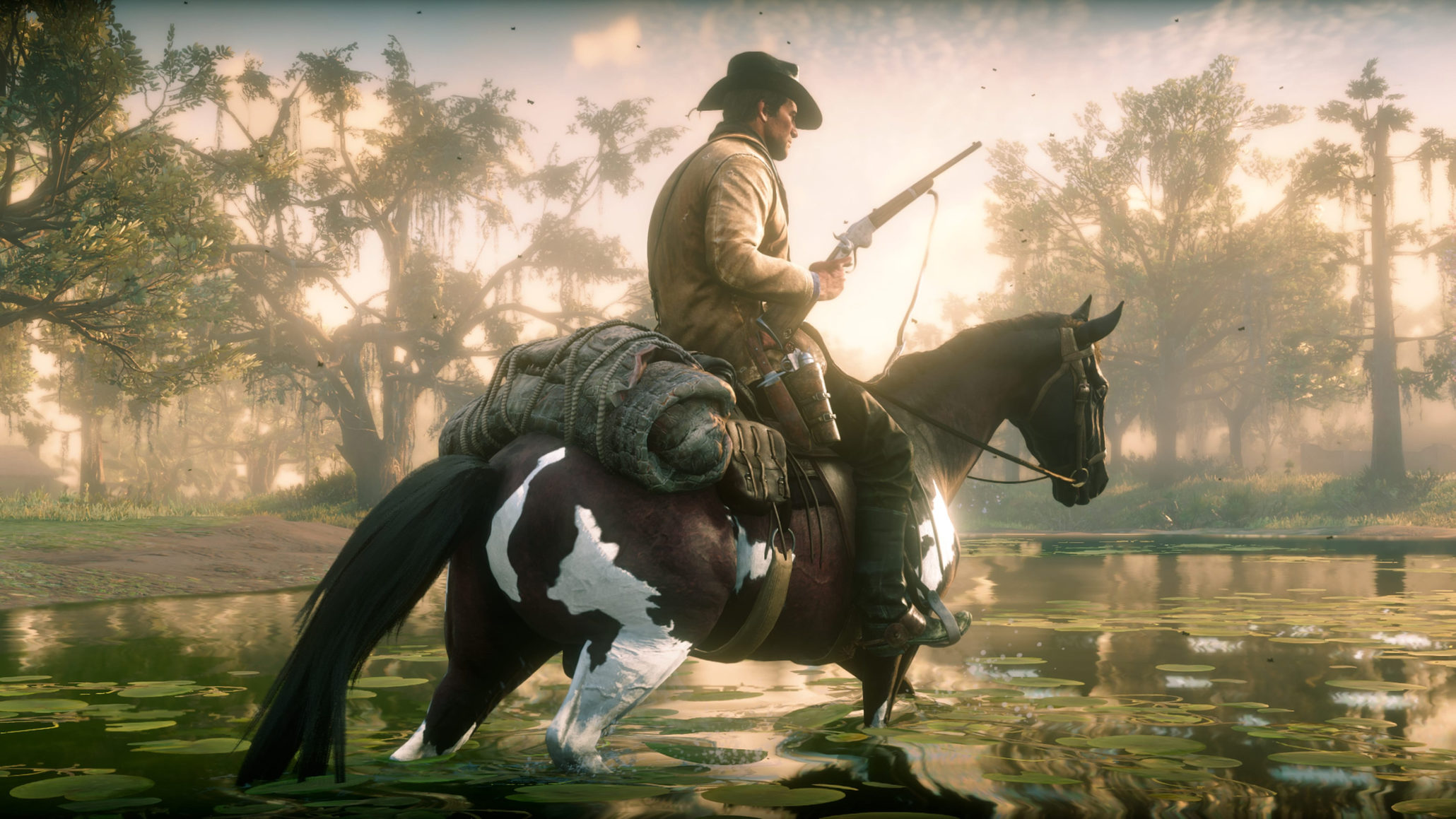
Since that experience, I hadn’t touched the game—until I heard that DLSS 4 had been released two days ago, promising impressive results. The news that you could override the DLSS model in RDR2 through the Nvidia app, enabling DLSS 4 instead of DLSS 2.2, made me even more excited to jump back in. The process was as simple as flipping a switch, and when I loaded in… it was like putting on glasses. Right click and open any image below in a new tab to view in full resolution.


DLSS 4 not only cleans up the blurrines when TAA was enabled, but adds more detail to foliage, looking far superior and crystal clear. Not only that, the game looks better on a generational level, all WHILE delivering superior performance.
Something that is more difficult to showcase is the increase in motion clarity, TAA usually stabilizes when standing still, making differences potentially more difficult to notice. DLSS 4 looks razor sharp even when agressively moving your mouse from left to right on it’s quality mode, whereas TAA freaks out and starts to blur out.

Playing the game with DLSS 4.0 made me finally see Rockstar’s intended vision for this game, for a game that turns 7 years old this year, it still beats releases from current day.
How can I use DLSS 4.0?
DLSS 4.0 transformer model and ray-reconstruction is accessible for all users with a NVIDIA RTX GPU and Windows PC and is backwards compatible with older RTX GPU’s, here are all supported generations:
- RTX 2000 series
- RTX 3000 Series
- RTX 4000 Series
- RTX 5000 Series
Step 1: Navigate to the Nvidia app on your PC or Laptop
Step 2: Navigate to the drivers section and install the new drivers enabling support for DLSS 4.0 on your PC or Laptop

Step 3: After you finished installing your drivers, navigate to the graphics tab, and look for Red Dead Redemption 2 in the application list.

Step 4: Select Red Dead Redemption 2 and scroll down to the driver settings tab

Step 5: Select the DLSS Override-Model Presets option, and change the setting from Use the 3D application setting (default) to Latest, press apply.

And that’s all you need to do! Launch your game, turn on DLSS to your liking and enjoy superior image quality with superior performance.
Red Dead Redemption 2 is current undergoing a huge surge in players on PC. On February 1st, the game broke its concurrent player count record on Steam by a big margin. You can learn more about it here. Plus, if you’d like to get DLSS running in GTA V, we’ve got an article for you.
To keep up to date with everything related to Rockstar Games, Grand Theft Auto and Red Dead Redemption, make sure to check back to RockstarINTEL. You can also check us out on social media which can be found below.
Subscribe to our newsletter!

16 Comments
G
how much did Nvidia pay you?
I was gonna ask the same… 😀
Not worth the cost. I’ll wait a few more years.
….Its a free update and works on cards all the way back to 2000 series….
You fucking what
Thanks for this review and guide.
Get your eyes checked played it on a 2060 and 3080ti at 1440 and 4k I’m sure DLSS 4 will make it more beautiful but it always has been.
I can’t find the setting on any of my games
Not supported on my 3090.
DLSS Override is NOT available below the 4000 RTX models. Bummer.
Ha, I thought I had installed the driver. Nope. Smh. Disregard above comment.
Github,
dlss swapper, it’ll work
What absolute moron shrinks the comparison pictures from DLSS to TAA, when the differences can only be spotted in a full size screen. It shows you how braindead the morons are who run these clickbait sites, they don’t even understand the purpose of the tech.
Just tested this from native and then with dlss quality. no dlss 4 is no way near the same clarity this artical lies
So you think everyone is lying about it and this site photoshopped screenshots? lol