


Rockstar Games released a brand new PC version of GTA V and GTA Online on Tuesday complete with new graphics options. From several ray traced effects to support for new upscalers and more, the game has never looked better.
The Game Changer: RT Global Illumination
Let’s start by taking a look at the game with ray traced global illumination (RTGI). For those unaware, RTGI lets light bounce from objects in a far more realistic way than before. Colours of objects will change based on the light source and nearby objects. This is how light works in the real world and was not present in GTA V until the Enhanced version for PC.
We’ve got a couple of compelling comparisons to take a look at. Left screenshots are with ray traced global illumination enabled at the Ultra level. Screenshots on the right are with it disabled and how every other version of GTA Online looks. You can click on each image to view at full resolution.


As you can see, Michael’s house is now more accurately lit by the sun. Walls, doors, windows and more feature a warm glow as it should vs the darker, flat look as before. The same can be said for the stairs in the other comparison. They are no longer all in shadow but are more accurately illuminated by the sun as it bounces from the walls.
Ray Traced Ambient Occlusion
Another effect making the game appear far less flat in its presentation is ray traced ambient occlusion. Light is now more realistically blocked by objects. E.g. ground under vehicles exhibit shadows which simulates the real world. This is another PC Enhanced exclusive feature not part of GTA V on current gen consoles. Once again images on the left have it set to Ultra and on the right has it disabled.


Ray Traced Reflections
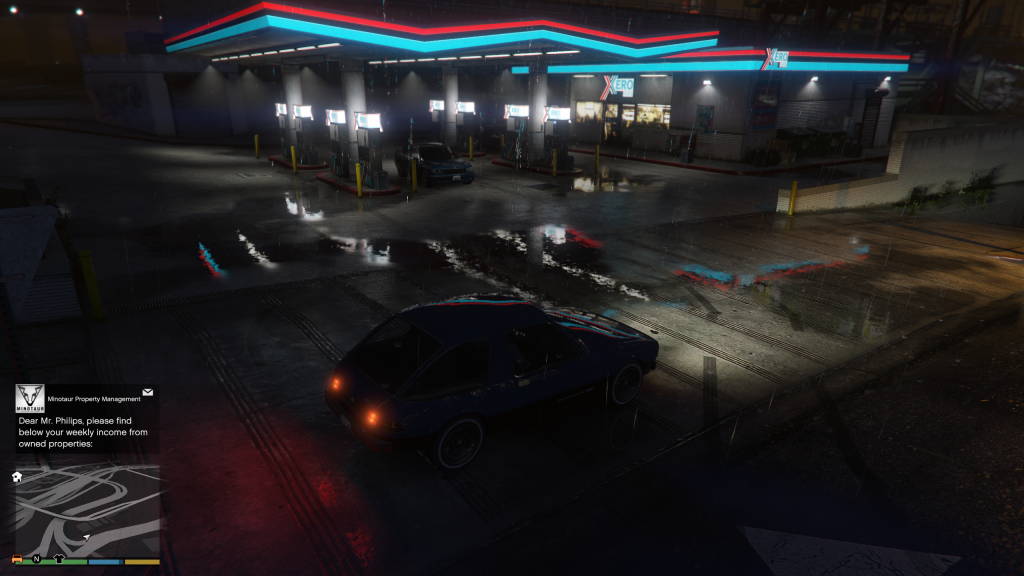
Whilst we have seen ray traced reflections on PS5 and Xbox Series X|S for a few years now, this new PC release takes it a little further. Below, you can see ray traced reflections set to Ultra vs Off. The difference is as clear as day. The glass around the pool reflects the entire scene behind it including Franklin and all of his details. Same can be said with the reflections in the puddles of water in the second comparison.


DLSS And FSR
I also wanted to highlight this new release’s support for DLSS 4 and AMD FSR1 and FSR3. It is a long time coming as GTA V’s old PC version did not have DLSS or FSR support much like Red Dead Redemption 2.
Fans who wanted to use those technologies in Los Santos have been reliant on the NaturalVision Evolved mod. It brought support for DLAA, DLSS and FSR due to the mod’s demanding performance. Thankfully, everyone with a modern GPU can use these upscaling technologies easily with Rockstar’s new GTA V version.
The GPU used for testing here is the RTX 4080 Super so no multi-frame generation is enabled nor was DLSS needed to be perfectly honest. Despite having all settings maxed out, the game was pretty smooth above 120FPS. DLSS was needed on this card or for most based on feedback shared by fans online. If you have a much lower end card and would like to push the graphical limits, then these options are nice to haves. Below is a comparison of DLSS off on the left vs DLSS on at Quality mode.
Users of NVIDIA’s 50 Series GPUs noticed Frame Generation was not available in the settings. Rockstar Games have confirmed Frame Generation support is planned for both NVIDIA and AMD and will come at a later date.

What do you think to these new graphics options? Let us know down in the comments below.
Subscribe to our newsletter!
