

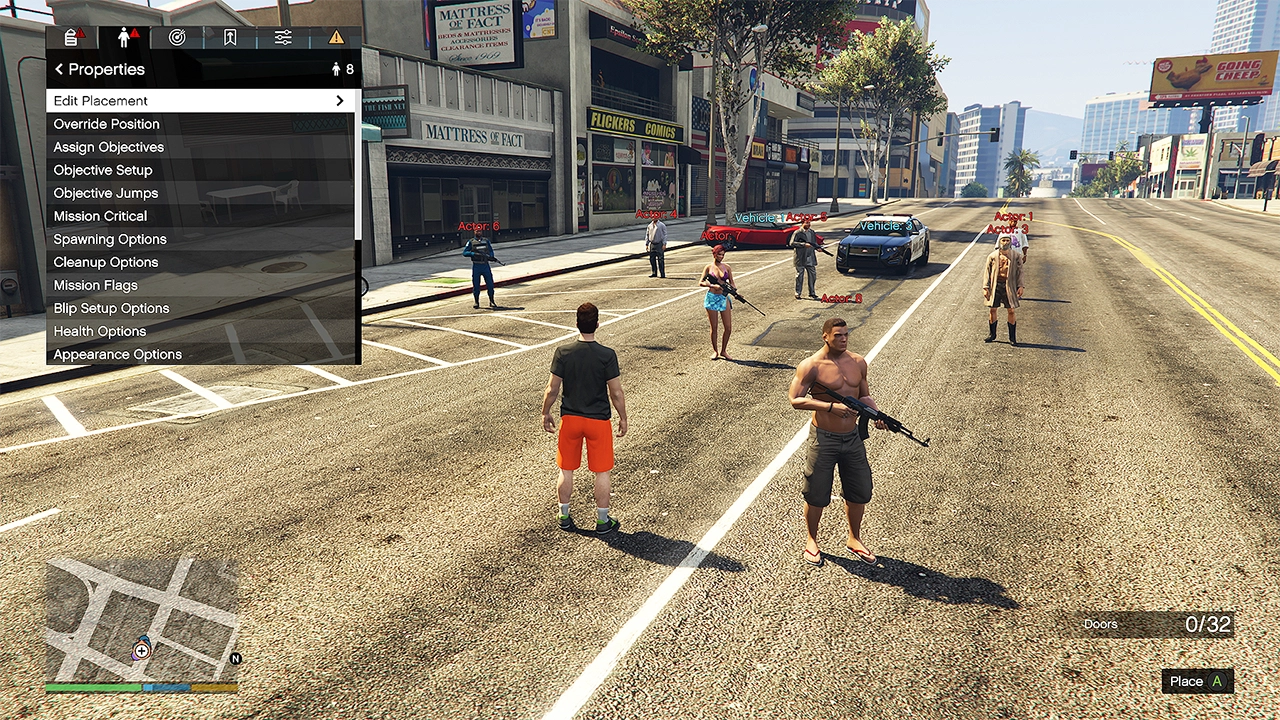
The GTA Online A Safehouse in the Hills update introduces a revolutionary Mission Creator to the game. Creator Mode has existed for many years in GTA Online but this new Mission Creator unlocks all new possibilities such as your very own Story Missions.
Mission Creator is a new toolkit from Rockstar Games that lets you make and publish simple or sophisticated gameplay experiences such as levels will cutscenes. It has a variety of customisation such as gameplay mechanics, custom objectives, placeable actors and more. Mission Creator is available on PlayStation 5, PlayStation 4, Xbox Series X|S, Xbox One, and PC.
With GTA 6 being delayed and less GTA Online content expected, the community will make the a lot of new stuff. Stealth based missions with infiltrating cutscenes, multiple choice branching gameplay, there is so much untapped potential left in GTA Online. This extends the life of GTA Online even further. We’ve seen how powerful custom creation tools are in games such as Halo, Battlefield, Minecraft and more.
How To Find The Mission Creator
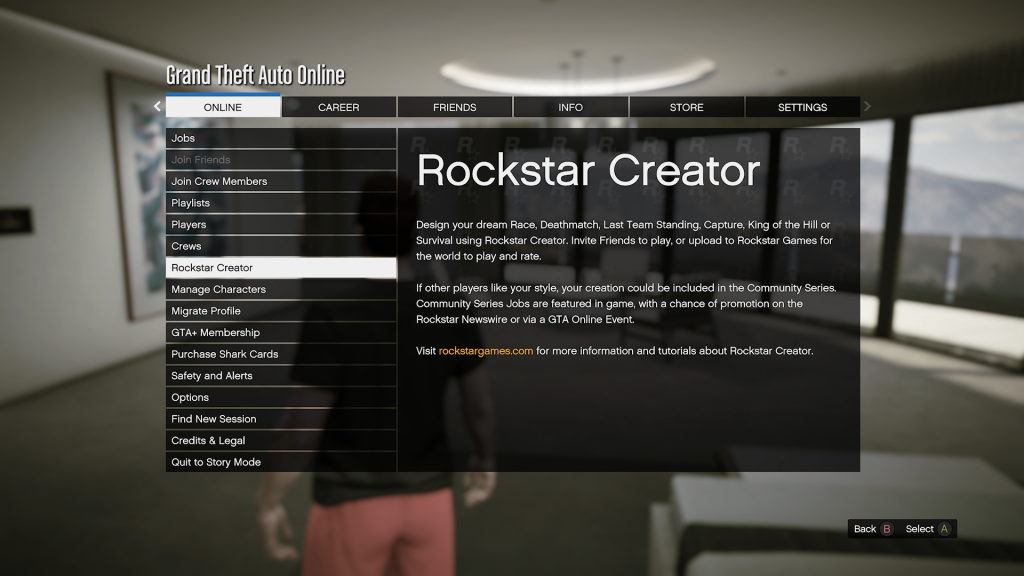
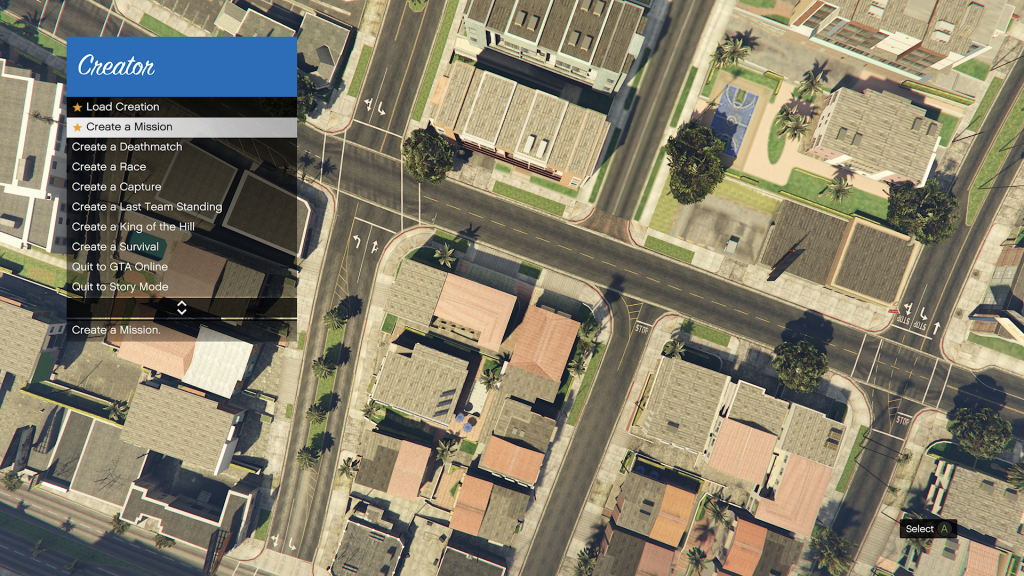
To access the Mission Creator, open Pause Menu in GTA Online. Then navigate to Online, followed by Rockstar Creator and accept being removed from the session. When you load into the Creator Mode, select Create a Mission. Upon booting into the Mission Creator for the first time, you’ll be given a warning to not break community guidelines set by Rockstar.
Mission Creator Features
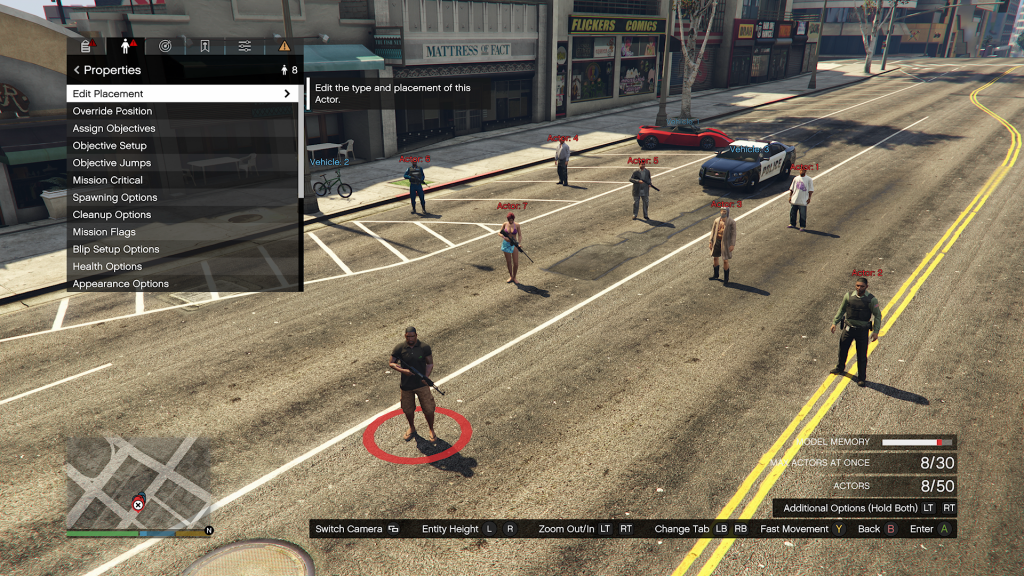
From opening the Mission Creator, you’ll be greeted with a wealth of options in a different looking menu; something closer to what Rockstar use.
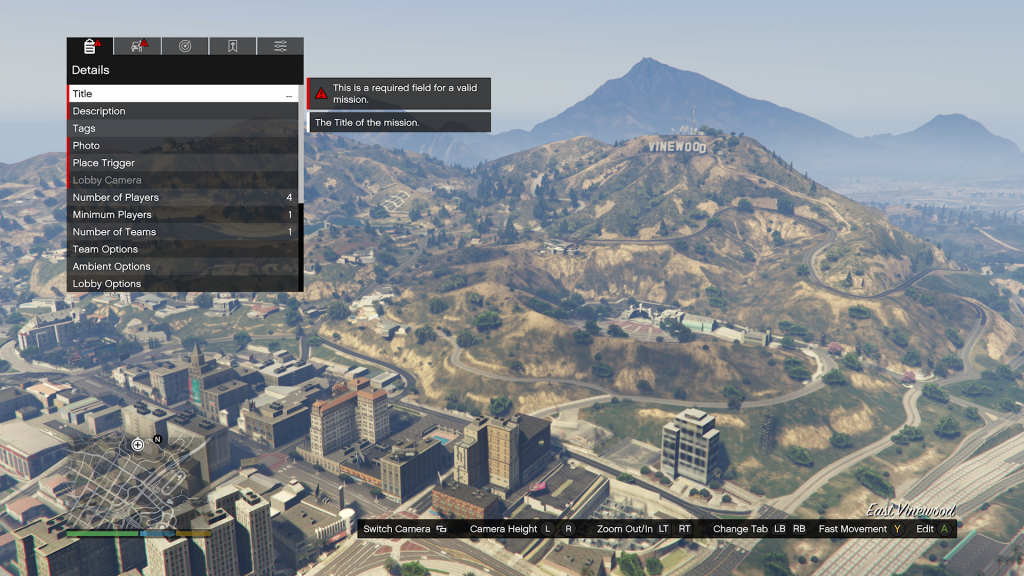
The obvious game settings and variables are visible in the Details submenu but also custom cutscenes, world features and more. With cutscenes, you can easily make your own intros, outros and anything in-between with different shots.
Another big feature is the ability to open up interiors such as the Cluckin Bell factory or LifeInvader Office. You can even get into the Pacific Standard Bank and open the vault door.
In terms of entities, you can add many different vehicles, NPCs, props and more. There is a limit of how many you can add. Although the community will come up with creative ways to execute on their vision. In terms of numbers, you can have up to 50 NPCs, 300 props, 32 vehicles, 32 doors, 20 locations and such. There is also a memory limit to bear in mind.
Tutorials
If you’d like to learn the basics of the Mission Creator, Rockstar can help you. They have made five example Missions to help players learn the toolkit. You can play them yourself by heading to Online > Jobs > Play Job > Rockstar Created > Mission Creator Content, then open them in the Rockstar Creator.
If you want to see how they are made, you can load the Missions by selecting Load Creation from the top of the Creator menu then selecting Example content. This can be seen in the screenshots below.

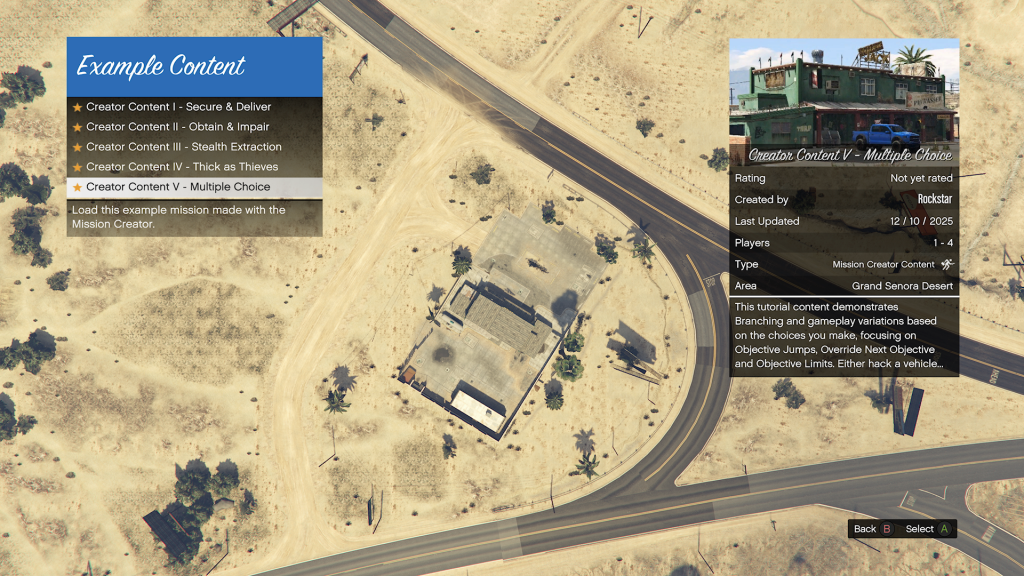
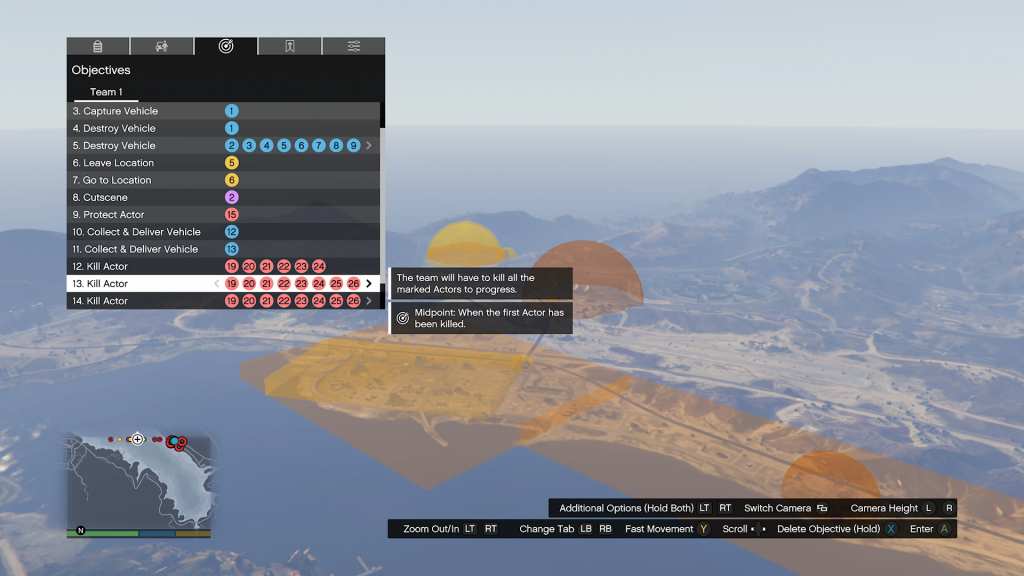
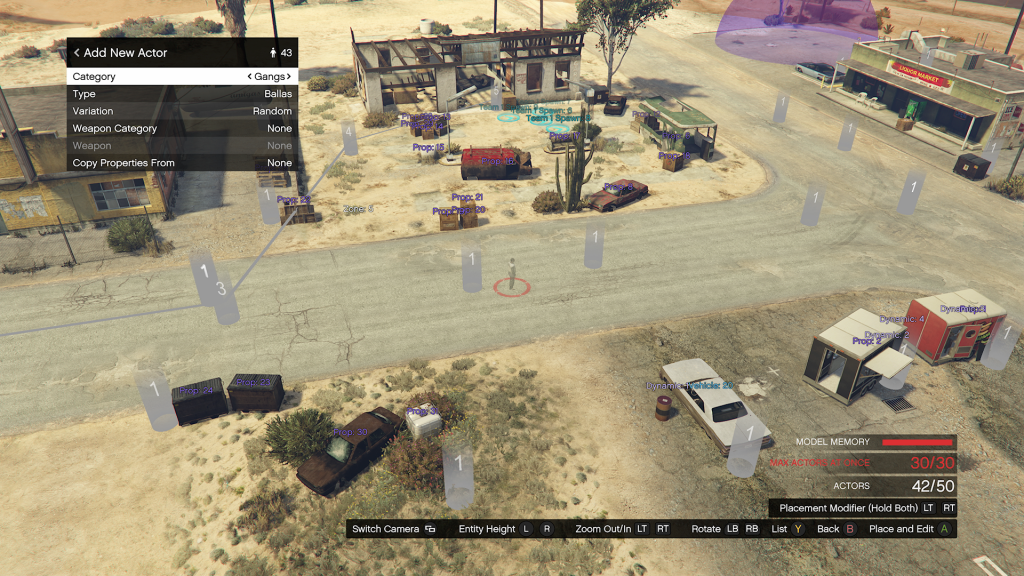
Rockstar say in a Newswire post “they look forward to checking out — and featuring — the best player-created Missions in GTA Online soon.”
To keep up to date with every GTA Online news update, make sure to check back to RockstarINTEL and sign up to our newsletter for a weekly round-up of all things Rockstar Games.

Subscribe to our newsletter!
